

Want to immortalize your friends as giant Minecraft statues? Or maybe build your favorite superhero towering over your base? Character builds are some of the most impressive structures in Minecraft, and AI makes them surprisingly accessible.
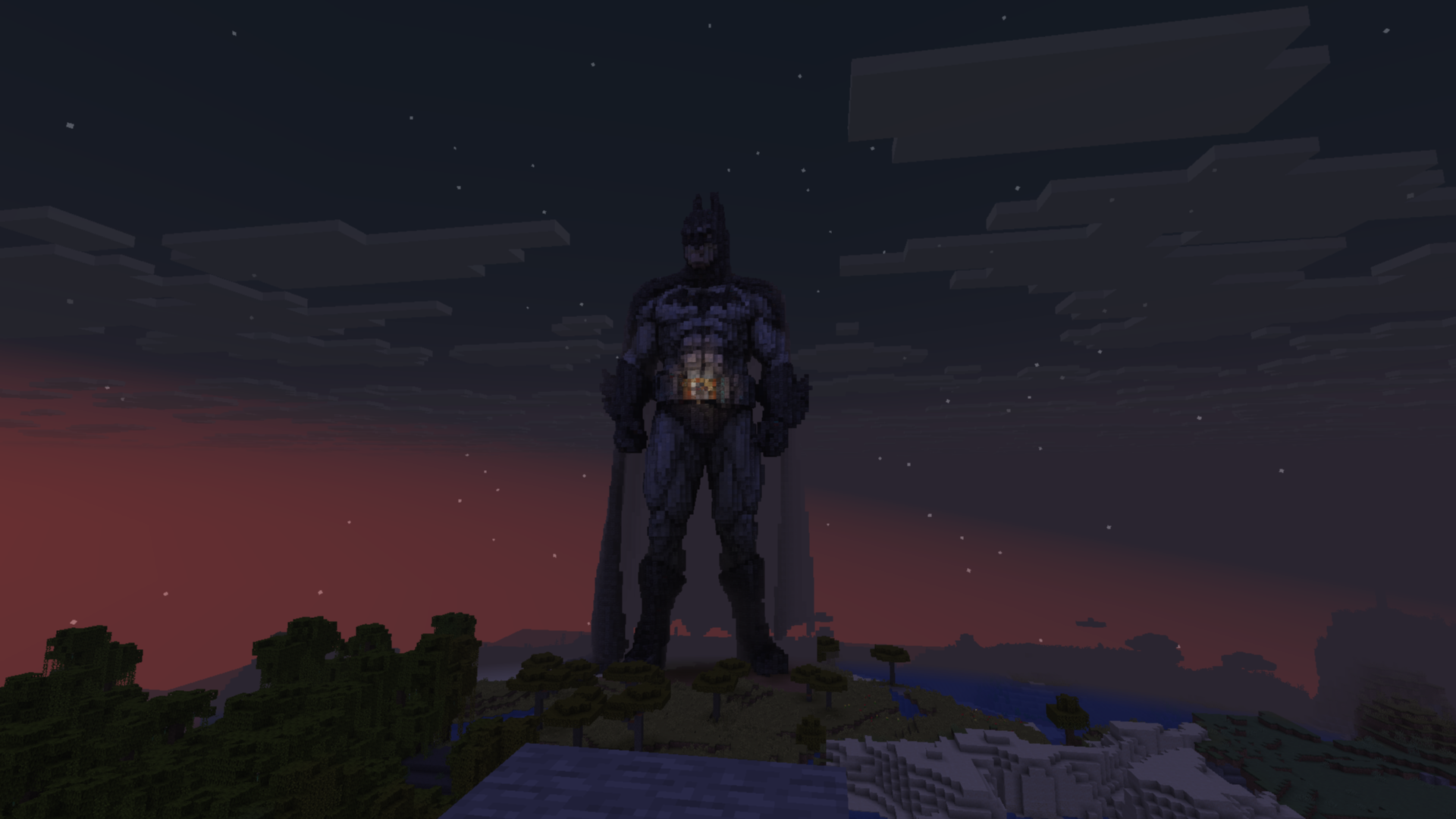
View this Batman build on BlockGPT
Why Character Builds Are Hard
Traditional character building in Minecraft is brutal. You're working with blocks, not clay. Every curve needs to be approximated. Every detail needs to be translated into a 3D pixel grid.
The challenges:
- Scale planning: Too small and details disappear. Too large and proportions break.
- Reference management: Constantly switching between your reference image and the game
- Block selection: Choosing the right blocks for skin tones, clothing, hair
- 3D thinking: A face that looks right from the front might look wrong from the side
Most builders spend hours on a single character. Complex builds can take days.
How AI Changes Character Building
AI handles the translation problem. You describe who you want to build, and it figures out:
- Which blocks match skin tones and colors
- How to approximate curves and details at the right scale
- 3D structure that looks good from multiple angles
The Batman statue above was generated with a single prompt: "Batman". That's it. The AI selected dark blocks for the suit, handled the cape flow, and built a structure that actually looks like Batman from any angle.
Building Real People
Want to build a friend? The best method is using BlockGPT's image-to-build feature. Upload a photo, and the AI converts it directly into a Minecraft schematic.
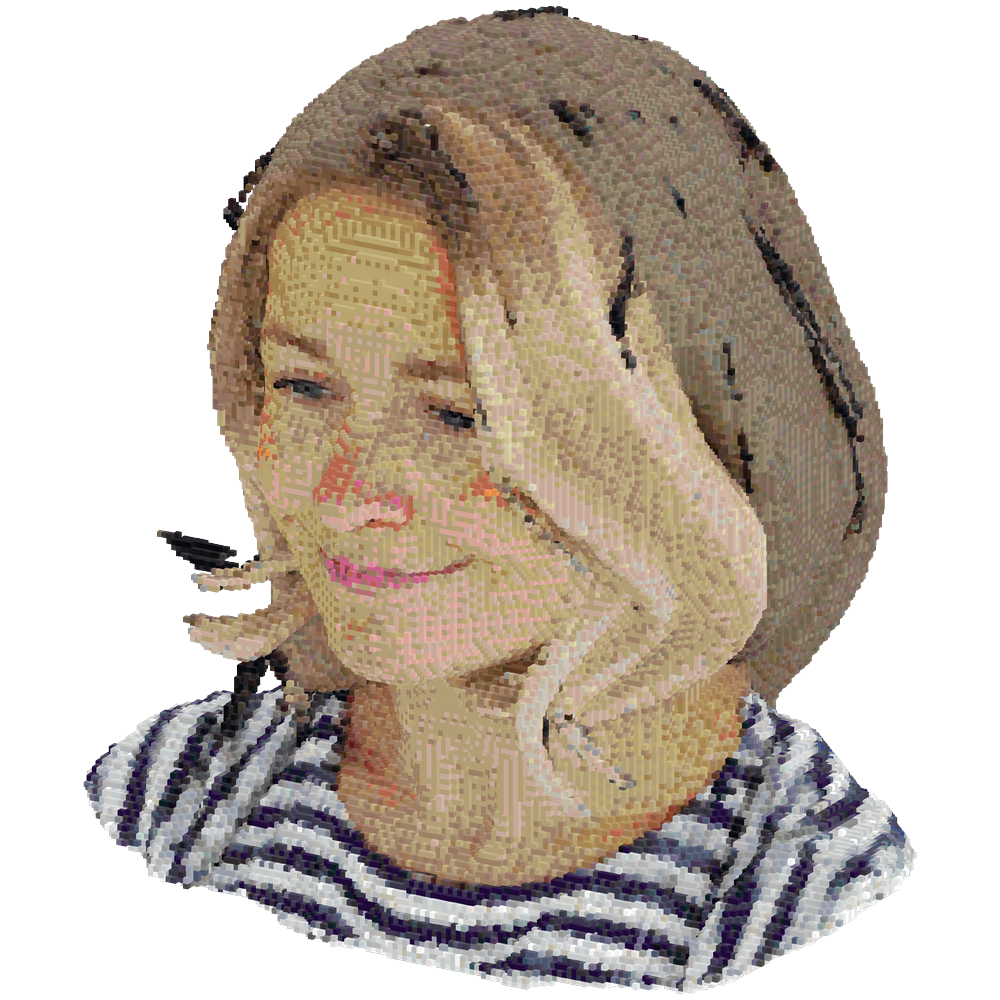
This works better than text prompts for real people because the AI can see exactly what someone looks like, their hair color, clothing, and unique features, rather than trying to interpret a description.
To use image-to-build, go to the generator and upload a photo instead of typing a prompt. The AI handles the rest.
Using Text Prompts
If you prefer text prompts, be specific about what makes them recognizable:
A statue of a person with curly red hair, glasses, wearing a blue hoodie and jeans
Include Signature Items
What do they always have with them?
A person holding a coffee cup, wearing headphones around their neck, with a backpack
Specify the Pose
Static poses work best for Minecraft's blocky nature:
A standing figure with arms crossed, looking forward
Building Fictional Characters
Iconic characters work especially well because the AI knows what they look like:
Spider-Man in a crouching pose
Master Chief from Halo with assault rifle
Darth Vader with lightsaber
Goku in Super Saiyan form
Tips for Better Character Builds
Start Simple
Your first attempt doesn't need to be a masterpiece. Try basic characters first:
A simple human figure standing
Then add complexity:
A knight in full plate armor holding a sword
Use Action Poses Sparingly
Dynamic poses are harder to translate to blocks. Standing, sitting, or simple gestures work better than mid-action scenes.
Specify Materials When Needed
If you want specific block types:
A statue made entirely of gold blocks
A stone guardian carved from cobblestone and stone bricks
Think About Placement
Consider where the statue will go:
A statue designed to stand on a pedestal
A bust, head and shoulders only, for indoor display
From Prompt to Placed
The workflow is simple:
- Write your prompt describing the character
- Generate the schematic in BlockGPT
- Download the
.schemfile - Import with WorldEdit or Litematica
- Place in your world
Need help with importing? Check the How-To Guide for step-by-step instructions.
Example Builds
Here are some prompts that produce great results:
A dignified standing figure in robes, arms at sides, looking slightly upward, made of white concrete and quartz
A cartoonish warrior character with oversized head, holding a banner, in team colors of red and gold
A Minecraft-style character with brown hair, green eyes, wearing a red shirt and blue pants
Making It Personal
The real magic is building people you know. Describe your friend, your family member, your D&D character. Turn inside jokes into monuments. Build your whole friend group as an Avengers-style lineup.
Character builds turn your Minecraft world into something personal. They're landmarks with meaning, not just cool structures.
Summary
Character building in Minecraft used to require serious skill and time investment. AI generation changes that:
- Describe the person or character you want
- Get a buildable schematic in minutes
- Place it in your world and customize if needed
The Batman at the top of this post took one word to generate. Your friend's statue is just a description away.
Next Steps
- Try the Generator - Build your first character
- Browse the Gallery - See what others have created
- View the How-To Guide - Import instructions
Related Reading
- Best AI Generated Minecraft Builds - See Batman, custom pets, and more community builds
- Getting Started with BlockGPT - New here? Learn the basics
- How to Generate Minecraft Schematics Using AI - The complete workflow
Ready to build someone? Start with BlockGPT. Describe your friend, download the schematic, and place them in your world.