

What can AI actually build in Minecraft? Forget the hype and the skepticism. Here are real structures created by real users, all generated with simple text prompts or uploaded images.
These aren't renders or concept art. Every build below is a downloadable schematic you can paste directly into your world.
Batman
One word. That's all it took.
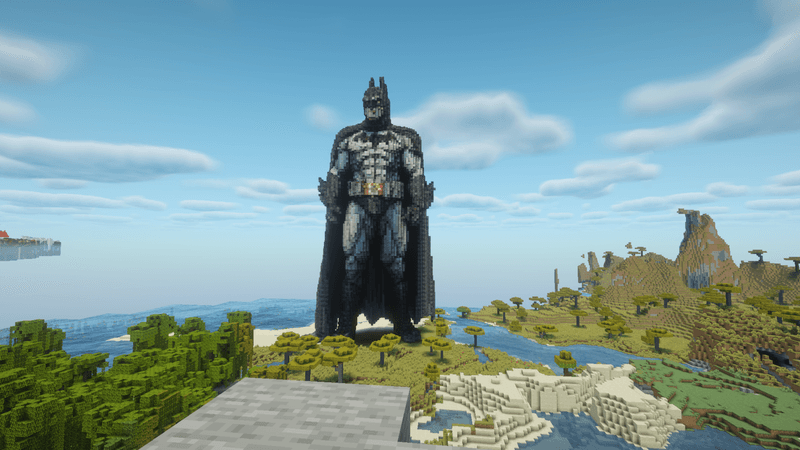
The prompt was literally just "Batman." The AI handled the dark color palette, the cape, the iconic silhouette. This build has been downloaded 15 times by users adding the Dark Knight to their worlds.
What makes this impressive isn't complexity. It's accuracy. The AI understood what Batman should look like and translated it into blocks without any additional guidance.
Massive Santa Claus Fishing
Holiday builds usually take hours. This one took seconds.

Massive santa claus fishing with a fishing rod
A giant Santa, mid-cast, fishing rod in hand. The kind of build that would be a centerpiece for any winter server event. The AI nailed the red suit, the pose, and even the fishing rod details.
Custom Pet Dog
This is where BlockGPT gets personal.
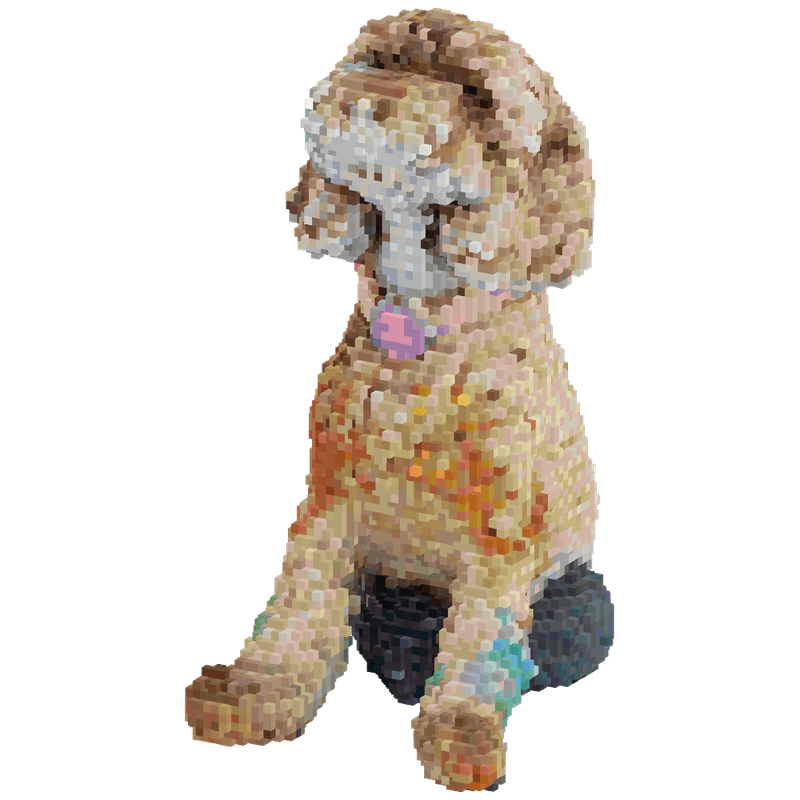
A user uploaded a photo of their dog and asked for a 3D replica. The result? Their actual pet, immortalized in blocks. This is the image-to-build feature in action.
No prompt engineering required. No describing fur color or breed. Just upload a photo and let the AI do the translation.
Want to build your own pet? Check our guide on how to build your friends in Minecraft, which covers the image-to-build process.
Cyberpunk Sword
Not every build needs to be massive. Sometimes you want a detailed item.
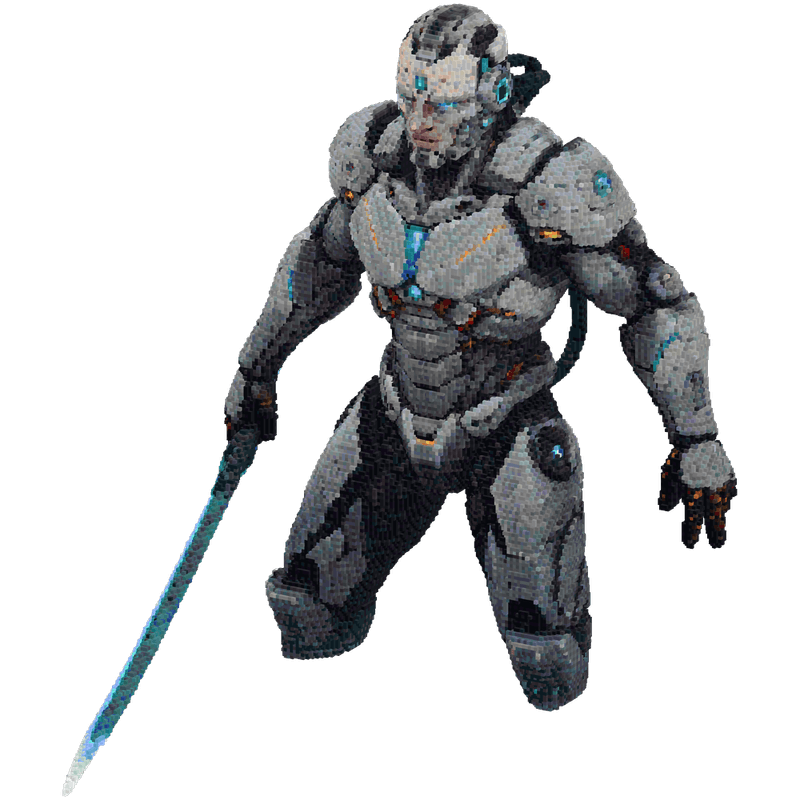
Cyberpunk Sword
Futuristic, glowing, detailed. This sword would fit perfectly in a sci-fi build or as a statue outside an armory. Two words, one impressive result.
Giant Steve
The iconic Minecraft character, supersized.
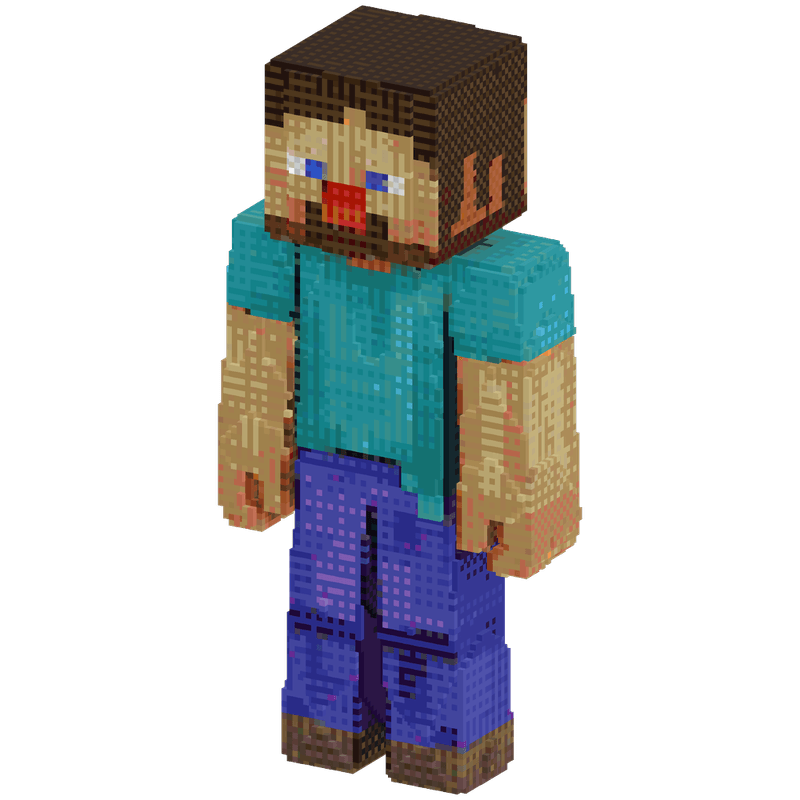
Steve is instantly recognizable to any Minecraft player. This build captures the blocky character at a massive scale, perfect for server spawns or as a landmark in your world. The proportions, the colors, the classic pose - all handled by the AI from a simple prompt.
What These Builds Have in Common
Every structure above shares three things:
- Simple prompts - No one wrote paragraphs. Most were under 10 words.
- Real schematics - All downloadable as
.schemfiles, ready for WorldEdit or Litematica. - Minutes, not hours - Each build was generated in seconds to minutes, not the hours traditional building requires.
Your Build Could Be Here
The gallery grows every day. Users are creating castles, vehicles, characters, abstract art, and everything in between.
Want to see more? Browse the full gallery for hundreds of community builds.
Ready to create your own? The process is simple:
- Go to the generator
- Type a prompt or upload an image
- Download your schematic
- Import to Minecraft
That's it. Your build joins the collection.
Tips for Great Results
Looking at what works, here's what the best builds have in common:
Be specific about the subject, not the details. "Batman" works better than "a superhero in a black suit with pointy ears." The AI knows what Batman looks like.
Use image-to-build for real things. Photos of pets, people, or objects translate better than text descriptions of them.
Think about what makes something recognizable. The Santa build works because it captures the iconic elements: red suit, fishing pose, massive scale.
Related Reading
- How to Generate Minecraft Schematics Using AI - The complete workflow
- How to Build Your Friends in Minecraft - Character and pet builds
- Getting Started with BlockGPT - New to BlockGPT? Start here
Ready to create something impressive? Try BlockGPT free and see what you can build. Your creation might be featured next.